Neo Skola
Online Education Project
User Flow, Wireframe, Prototype, User Interface, Interaction
What is it?
Neo Skola is a learning management system that enables users to receive online education and certificates. Through this system, also known as a "learning management system (LMS)" or "e-learning", participants can attend courses and find opportunities for self-improvement anywhere, anytime, without paying exorbitant fees.
The First Step
Having previously worked on VOD (Video on Demand) and e-commerce projects, I had the opportunity to work as a freelancer on a crème de la crème project that combined these two domains for the first time, topping it off with quizzes (tests, certificates) for the learners. On top of that, I had to design this project with a responsive structure, ensuring it functioned seamlessly across desktop, web, and native apps.
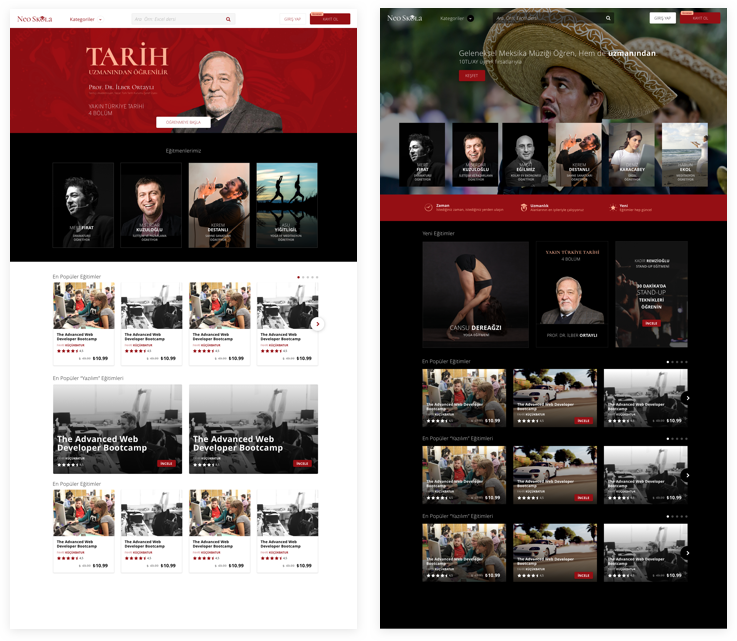
Before kicking off the process, I created some interface concept drafts to understand what the stakeholders and product owners had in mind. Since the project was just transitioning from the startup phase to setting up its first office, I reflected the content of the design documents and the flow into the concepts as much as I could gather. My main goal was to capture the vision.
Flow, Wireframe, Prototype
The product had taken shape in our minds, and once we reached a shared vision with the stakeholders, we started focusing on the product features and flow.
Progressing with step-by-step approvals would protect both me, as a freelancer, and the Neo Skola team. Naturally, as the flow document was being created, it brought along the need for wireframe prototyping (via InVision). I promptly reviewed and shared the flow we created on Trello with my stakeholder Eda Utku, the Product Manager at Neo Skola. Her assistance in ensuring the processes moved quickly and maintaining order in document sharing was undeniable. This truly highlights the importance of valuable stakeholders.
By taking quick and easy actions with our workflow, I was able to leave time for the stakeholders to reflect and test (Eda Utku Küngör also took on the role of Researcher). During this period, I moved on to different tasks, optimizing the project's design speed as if I were working on three fronts simultaneously.
User Interface
To avoid delaying development before the wireframe stages were fully complete, I began working on the User Interface. All UI work was completed within 25 days, with Desktop, Tablet, and Mobile designed simultaneously.
It would have been impossible not to benchmark giants and industry leaders like Udemy, Coursera, Udacity, Lynda, and Pluralsight. While this provided some great direction for the UI, it also needed to meet demands for a more premium look, similar to MasterClass. However, it was also a point of curiosity how much content a startup would actually have to fill the interface being created.
After discussing this with the product owners, frankly, it was designed to be easy, understandable, and open to development—ensuring the interface wouldn't look paralyzed by a lack of initial content, while also not hindering future content growth.
All work was created in Sketch, prototyped via InVision using Craft, and shared. Asset and spec handoffs to development were done through Zeplin.
Optimization, Continuous Improvement
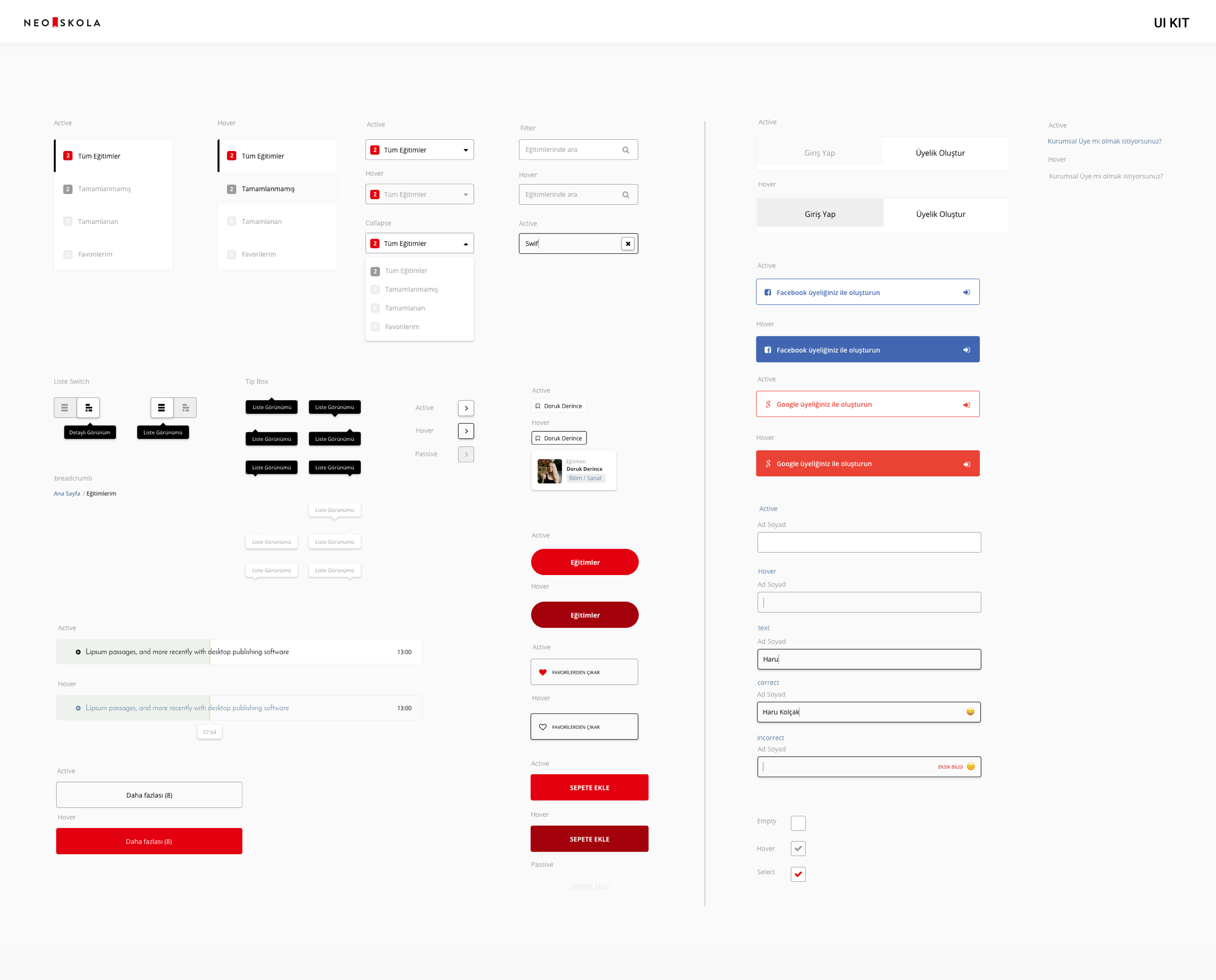
Approaching the end of the 2-month process, I made my final touches, from 404 pages and loading animations to creating the UI kit and making minor retouches. I genuinely enjoy continuously improving and optimizing the projects we build at the companies I work for, or guiding teams in these areas. Even when doing freelance projects, I can't help but care about how the project progresses post-handoff. Since optimization and future enhancements will be inevitable once Neo Skola fully launches, I hope our paths cross again.
Thank You
I conclude my project walkthrough with a sample animation I created to be added to the beginning of the educational clips. Thank you for reading.